Transfer Overview
The transfer process involves communication between the POS, cloudECR and terminal/Fiuu VT+ to authorize and complete a transaction. The following steps outline the end-to-end transfer flow:
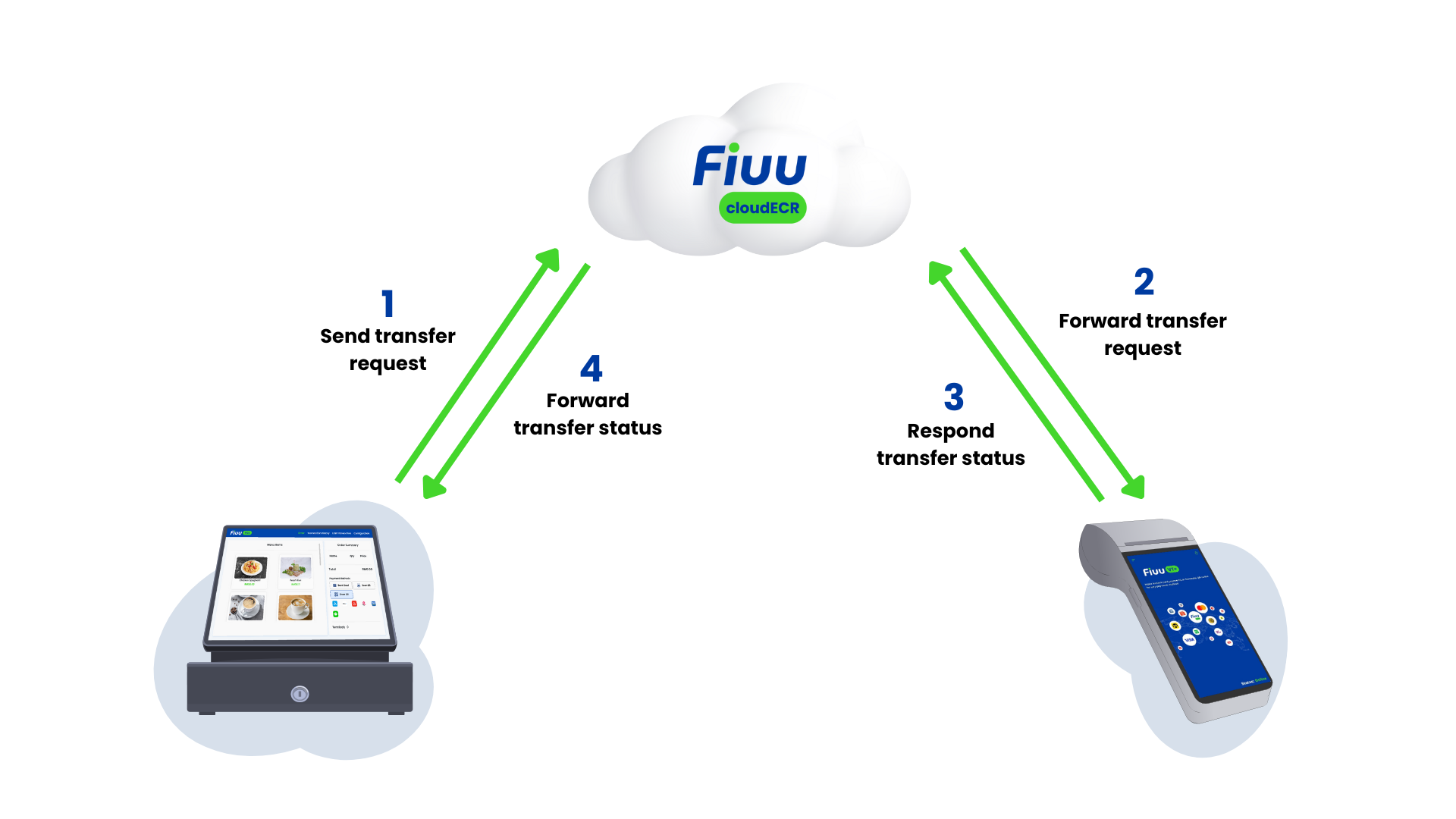
1. Transfer Request (POS → cloudECR):
The POS system initiates a transfer request POST /api/transfer and transmits it to cloudECR for processing.
2. Transfer Forwarding (cloudECR → terminal/Fiuu VT+):
Upon receiving the request, cloudECR validates the transfer details and forwards the request to the designated terminal/Fiuu VT+.
3. Transfer Response (terminal/Fiuu VT+ → cloudECR):
The terminal/Fiuu VT+ communicates the transaction result, including approval or decline details, back to cloudECR.
4. Final Transfer Response (cloudECR → POS):
cloudECR verifies the response and relays the final transaction status to the POS system. This process ensures secure and efficient transaction handling between all entities involved.
Timeout Values
These are the recommended timeout values for each party.
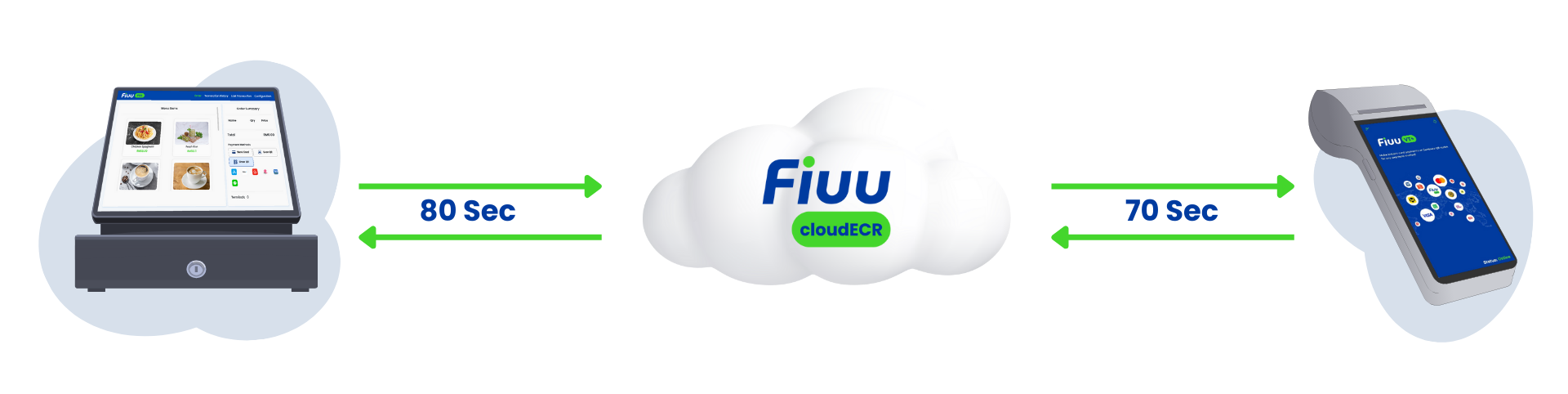
- POS timeout to receive a response from cloudECR: 80 seconds.
- The process (cloudECR → terminal/Fiuu VT+ → Acquirer) must complete within this time.
- The terminal/Fiuu VT+ can cancel the transaction if necessary.
- Once the transaction leaves the POS, it must either be cancelled by the terminal/Fiuu VT+ or wait for the timeout, unless a transaction response is received.
Troubleshooting
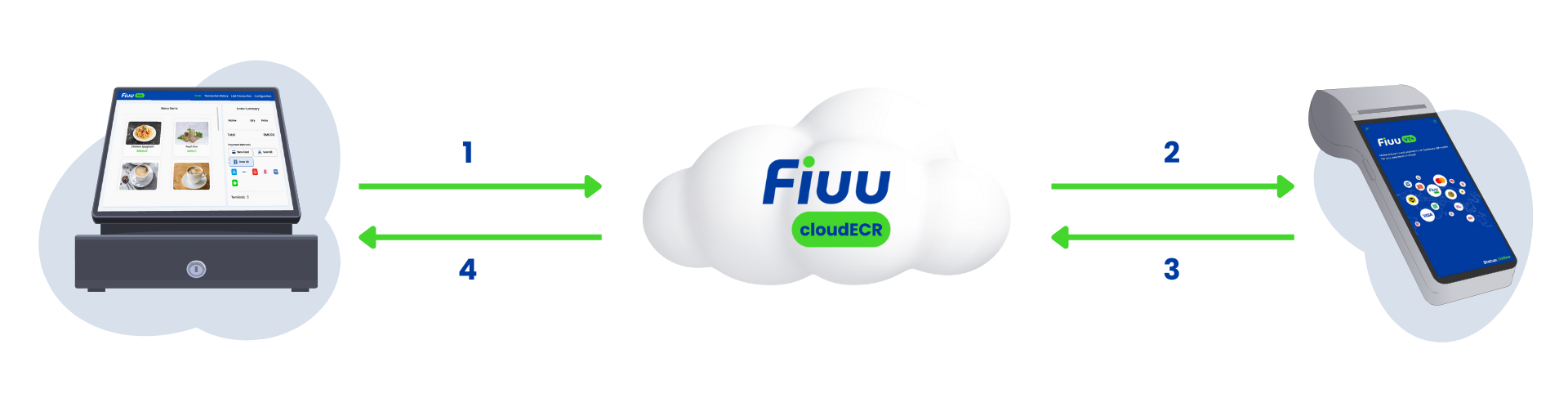
| Issue | Node | Suggested Action |
|---|---|---|
| POS transaction request couldn't reach terminal/Fiuu VT+ | 1, 2 | Verify the device's internet connection. Attempt the transaction again. |
| terminal/Fiuu VT+ showing communication error messages after trigger transaction | 3 | Check the internet connection of the terminal/Fiuu VT+ and try again. If the problem continues, contact Fiuu Support |
| User is charged (Bank card) but transaction not success at terminal/Fiuu VT+ and no receipt issued | 4 | Do not release the goods. Retry the transaction. The initial transaction will be refunded. Keep the receipt from the second transaction for Fiuu's reference if needed |
| User is charged (eWallet) but transaction status shows Pending | 4 | Do not release the goods. Perform a wallet inquiry to check the transaction status. |
| Transaction success at terminal/Fiuu VT+ but the POS didn’t receive any respond | 5, 6 | Perform a Get Last to retrieve the recent transaction status. |