Encrypt Service Account Credential File
Before sharing any credential file with Fiuu — the JSON file from
Generate Service Account or the api_keys.txt
from Export Play Integrity Key — it must be
encrypted. Use either option below.
Option 1 — SSGPG Tool (ssgpg.zip)
Encrypt the file using the tool provided by Fiuu, from a command prompt or terminal.
Encrypting the JSON file from Generate Service Account for Google Play Integrity:
[OS_ARCH]/ssgpg private_key.json
Encrypting the api_keys.txt file from
Export Google Play Integrity Key:
[OS_ARCH]/ssgpg api_keys.txt
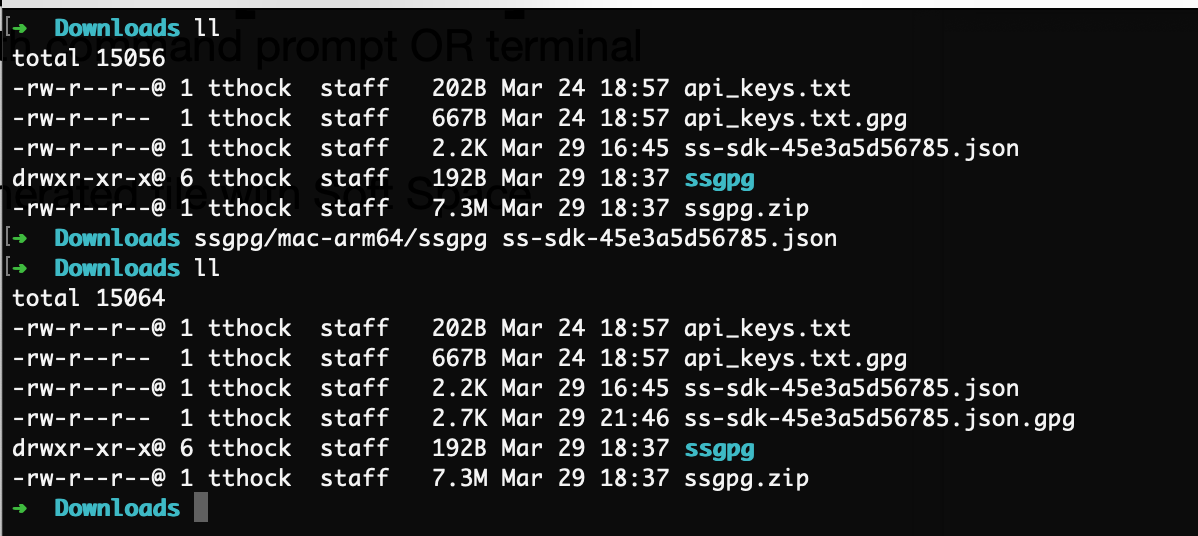
Share the generated .gpg files with Fiuu — make sure to specify which
file is for UAT and which is for Production.
Option 2 — Native PGP Tool
Import Fiuu's public key:
gpg --import softspace-attestation.asc
Encrypt the JSON file from Generate Service Account for Google Play Integrity:
gpg -e -r 37625442578326A0 private_key.json
Encrypt the api_keys.txt file from
Export Google Play Integrity Key:
gpg -e -r 37625442578326A0 api_keys.txt
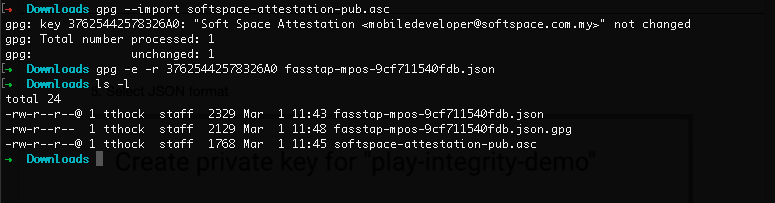
Share the generated .gpg files with Fiuu — make sure to specify which
file is for UAT and which is for Production.