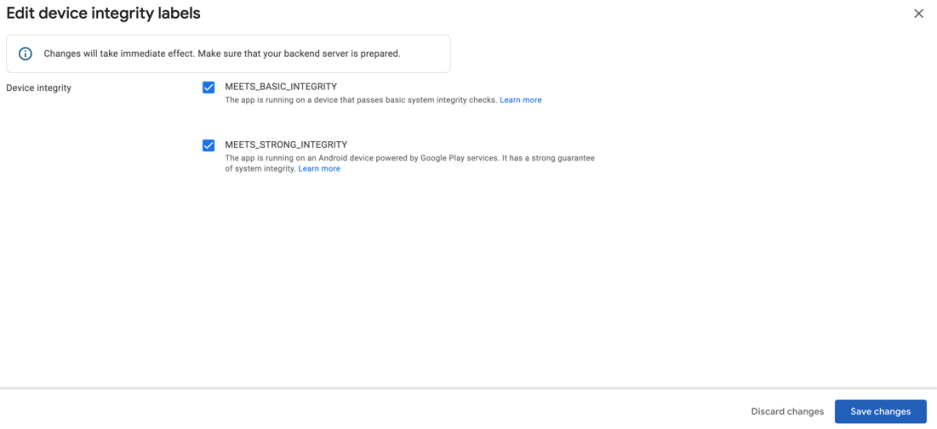
Opt-in to a Complete Integrity Flag
-
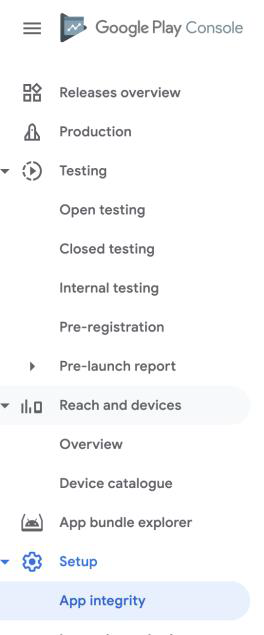
In the Google Play Console, go to your app's App Integrity section.
-
Under Integrity API > Response > Device Integrity, select Edit.

-
Make sure both MEET_BASIC_INTEGRITY and MEET_STRONG_INTEGRITY are selected, then click Save Changes.