Generate Service Account for Google Play Integrity (Development)
Play Integrity tokens are encrypted and need Google Cloud API access to decrypt and verify. This Service Account credential is used by Fiuu's Attestation Service to call the Google Cloud API, decrypt the token, and process its payload. Because this is a network call, it takes up to ~1 second solely for waiting on the response — see Encrypt Service Account Credential file for why production apps may prefer the exported-key option instead.
-
Enable the Google Play Integrity API in Google Cloud Console.
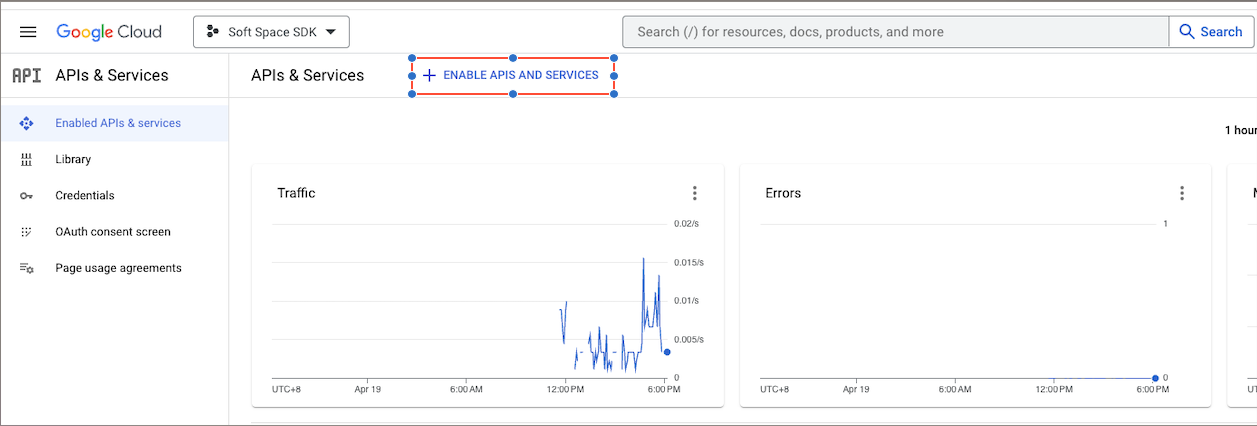
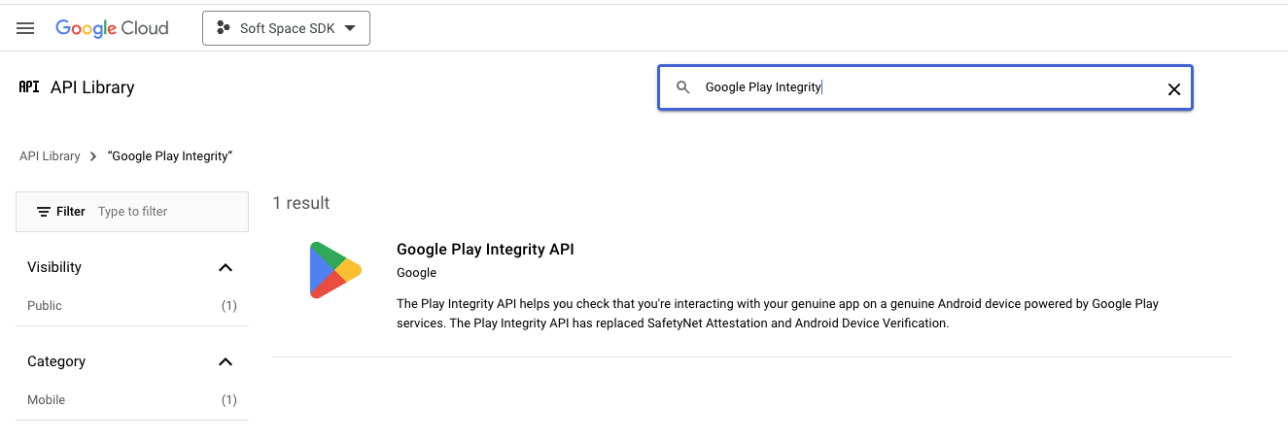
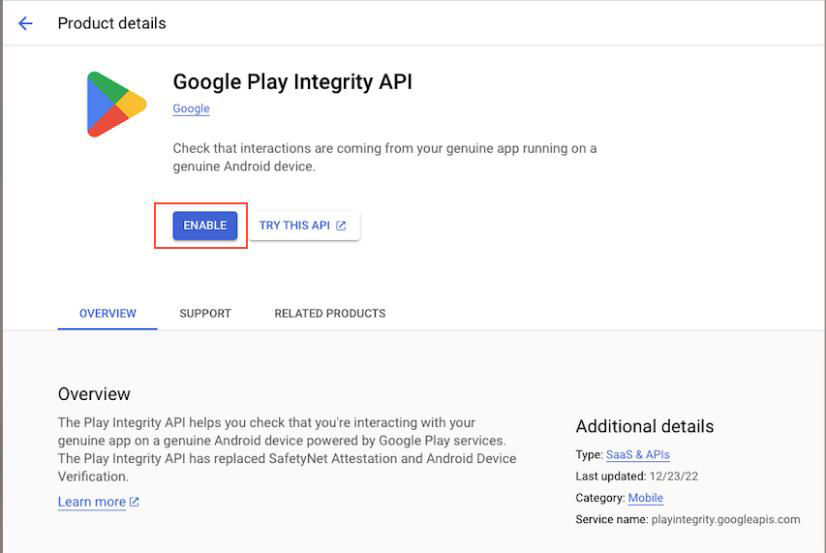
-
Create a Service Account in Google Cloud Console.
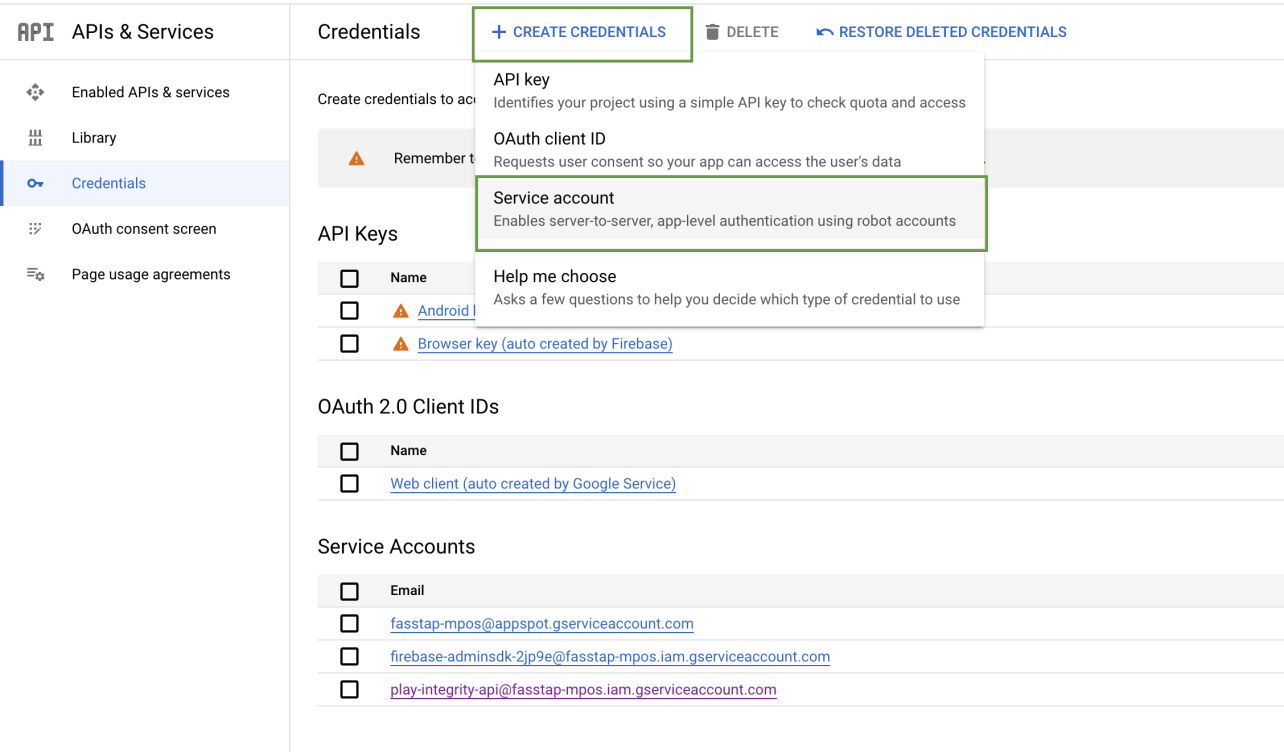
-
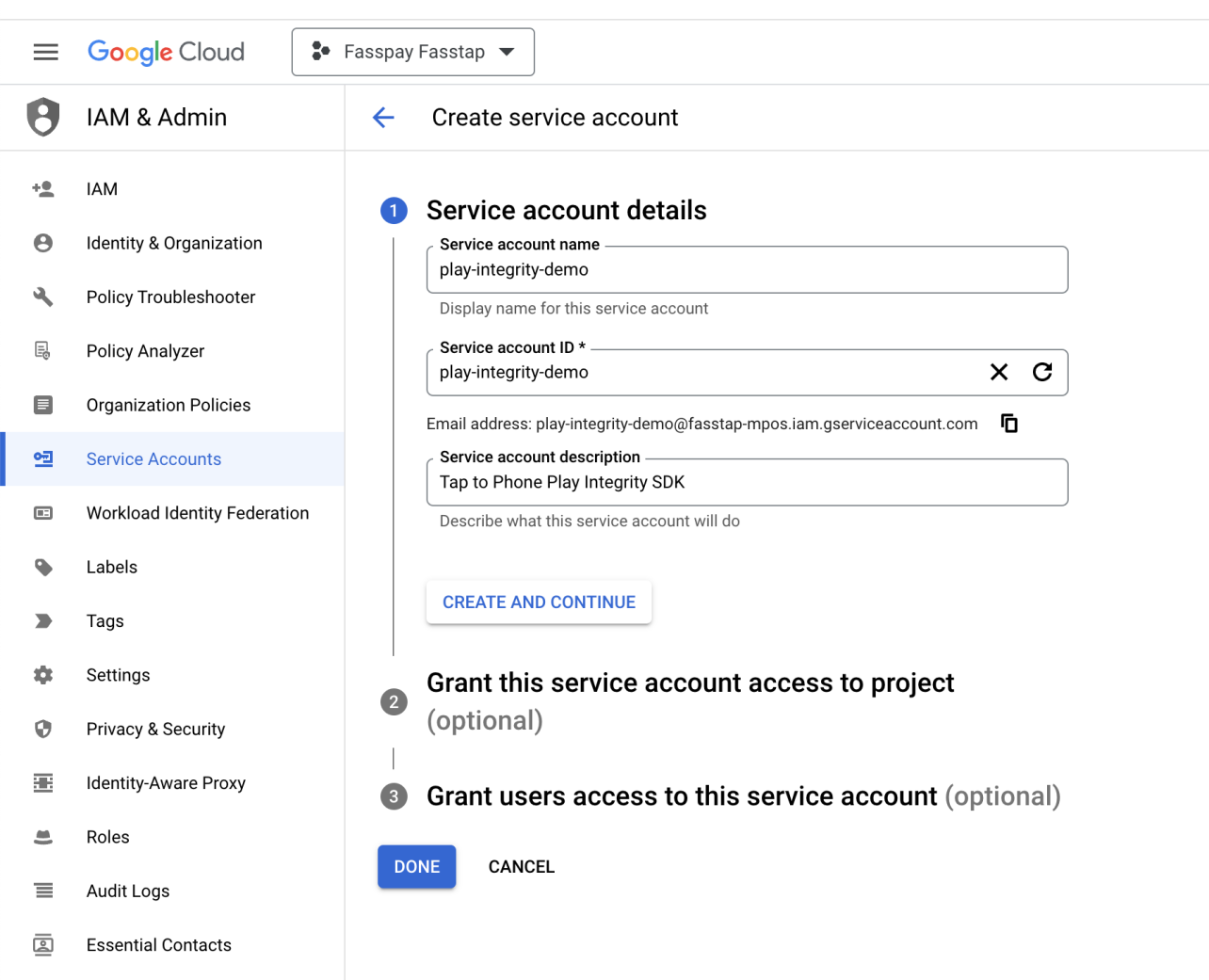
Enter the service account details, then click CREATE AND CONTINUE.
-
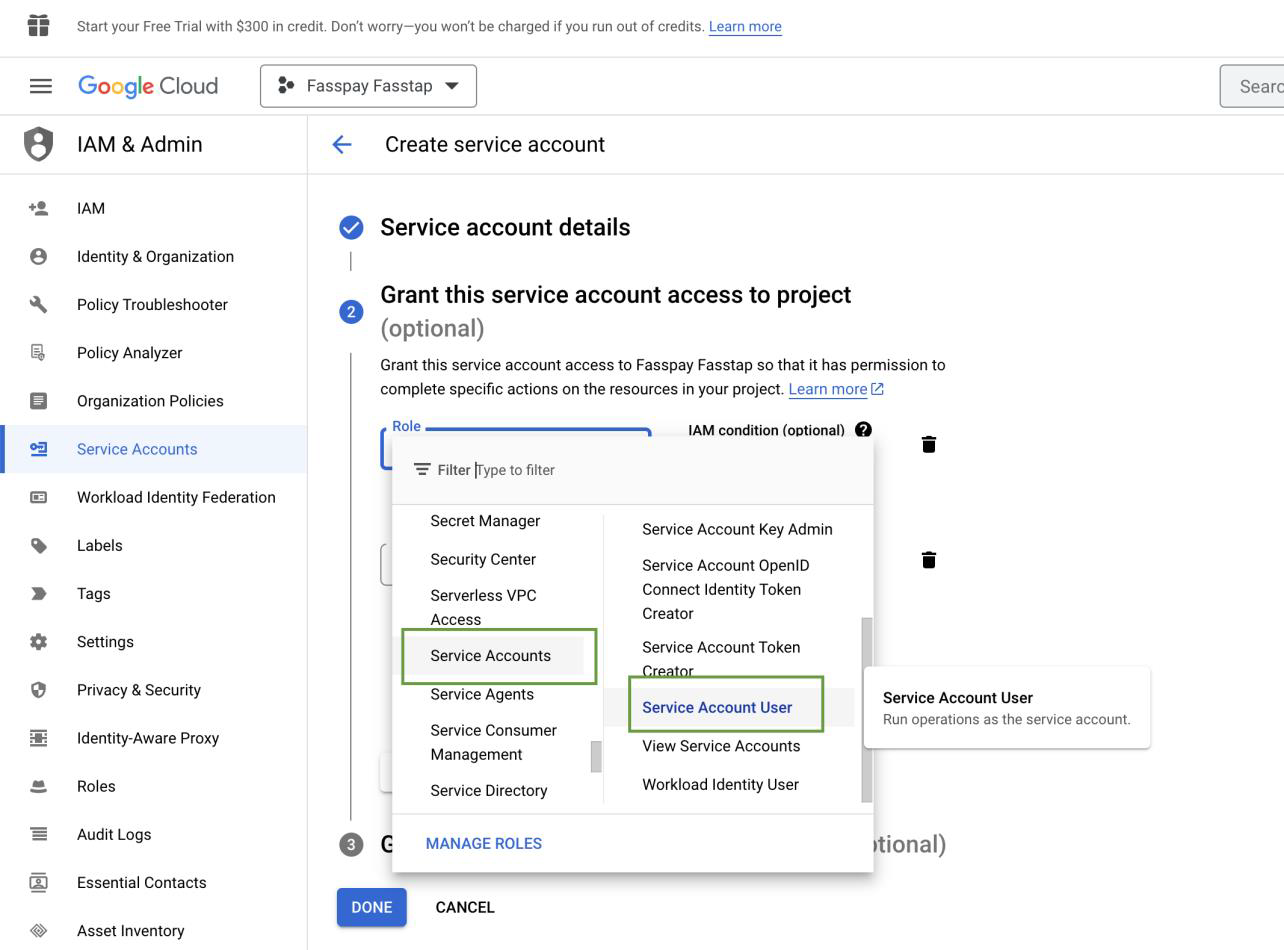
Grant the Service Account User and Service Usage Consumer roles.
-
Click DONE — you'll return to the service account listing. Open the service account you just created (named
play-integrity-demoin the source document).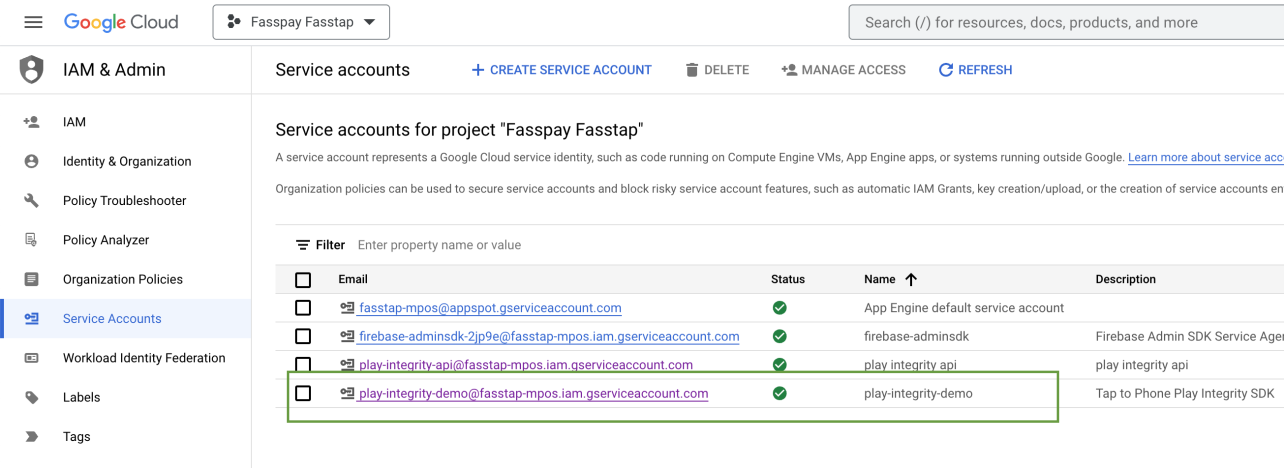
-
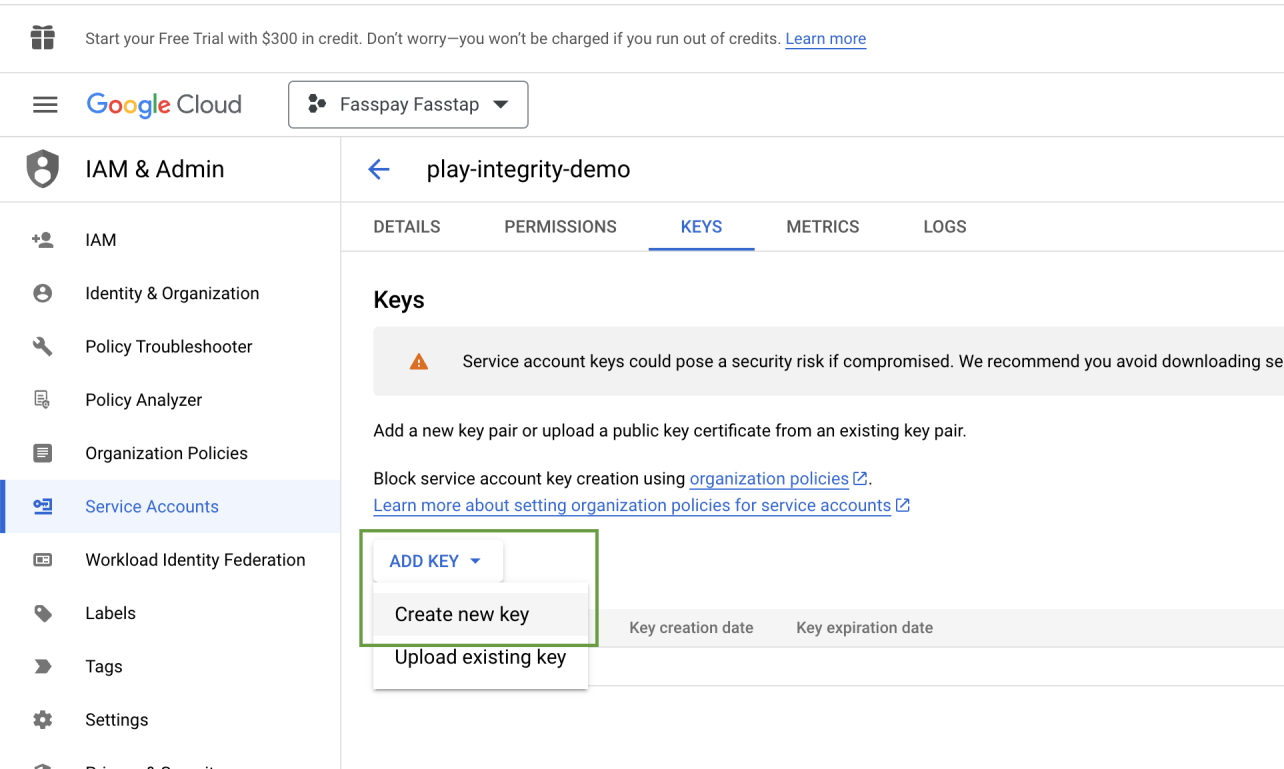
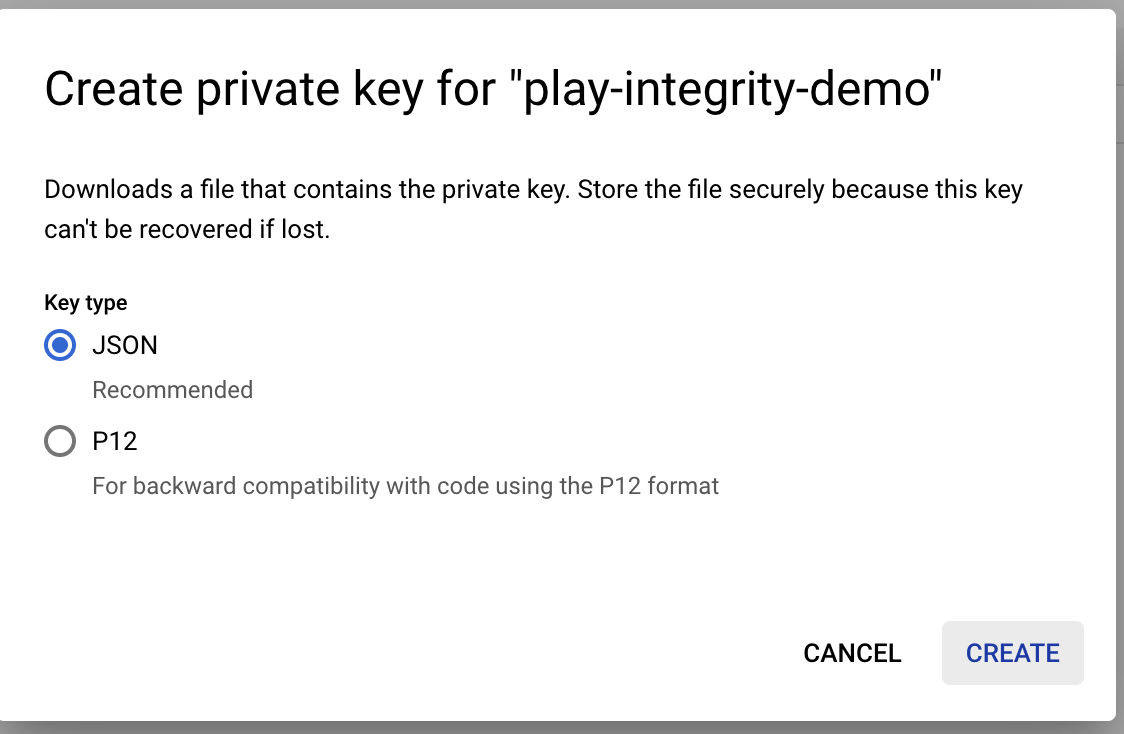
Create a key for that service account.
-
Select JSON format.
-
A JSON key file is generated and downloaded to your machine.
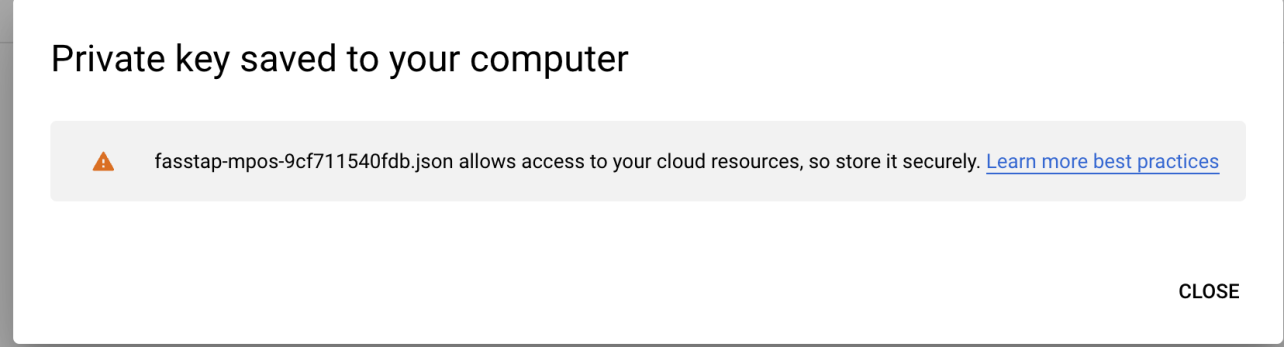
Next, encrypt this JSON file before sharing it with Fiuu.